Understanding Row Context vs Filter Context in DAX

If you’ve been working with DAX for a while, there’s a high chance you’ve encountered one of the most confusing moments in the learning process. You write a formula that seems perfectly logical, yet Power BI either throws an error or returns a result that makes absolutely no sense.
Then you change a single function — maybe adding SUMX or wrapping something inside CALCULATE — and suddenly everything works. At first, it feels random. In reality, it all comes down to one thing: context.
More specifically, two types of context:
Row Context
Filter Context
These are probably the two most important concepts in DAX. They are also the reason why DAX feels very different from Excel, even though the syntax initially looks familiar.
Once you truly understand the difference between Row Context and Filter Context, DAX formulas stop feeling mysterious. Measures become easier to debug, CALCULATE starts making sense, and many seemingly “advanced” concepts suddenly become much more intuitive. So let’s break them down in a practical way.
Why DAX Depends So Much on Context
Unlike traditional programming languages, DAX is evaluated inside a data model. That means every calculation depends on the environment in which it runs. The same formula can return different results depending on:
the current row being evaluated
the filters active in the report
slicers selected by the user
relationships between tables
whether the formula is a measure or a calculated column
This “environment” is what DAX calls context. And if there’s one thing that confuses almost every beginner in Power BI, it’s the fact that DAX constantly switches between different types of context behind the scenes.
Understanding Row Context
Row Context is the easier concept to understand because it behaves in a very intuitive way. When a Row Context exists, DAX knows exactly which row it is currently evaluating. The simplest example is a calculated column.
Imagine a Sales table containing Quantity and Price columns. If you create a calculated column like this:
Sales Amount =
	Sales[Quantity] * Sales[Price]
DAX evaluates the formula row by row. For each record, it takes the Quantity value from that specific row and multiplies it by the Price value from the same row. If the current row contains:
Quantity = 2
Price = 1000
then the result becomes 2000.
DAX can do this because calculated columns automatically create a Row Context.
In other words, DAX always knows which row it is “sitting on.” This is very similar to how Excel formulas work inside a table.
The Misconception That Causes Most Problems
Here’s where things start getting tricky. A lot of people assume that Row Context automatically filters the model. It doesn’t.
This is one of the most important distinctions in DAX. Row Context simply means:
“I know the current row.”
It does not mean:
“Filter every table to this row.”
At first, this sounds like a subtle difference, but it becomes critical once you start working with relationships, measures, and more advanced calculations. Understanding this point alone already eliminates a huge amount of confusion.
Filter Context Works Completely Differently
While Row Context is about the current row, Filter Context is about which rows are visible for a calculation. Every time you interact with a Power BI report, you are constantly creating Filter Context. When you select:
a year in a slicer
a product category in a chart
a country in a filter pane
Power BI applies filters to the model before evaluating the measure.
For example, imagine this measure:
Total Sales =
	SUM(Sales[Sales Amount])
If the report is filtered to:
Year = 2025
Country = Italy
then the measure only sums rows matching those conditions. That’s Filter Context.
Unlike Row Context, Filter Context propagates through relationships and affects the entire calculation engine. This is why measures behave dynamically depending on what the user selects in the report.
Row Context vs Filter Context in DAX: The Simplest Way to Remember the Difference
There’s a mental model that makes this distinction much easier.
Think of it this way:
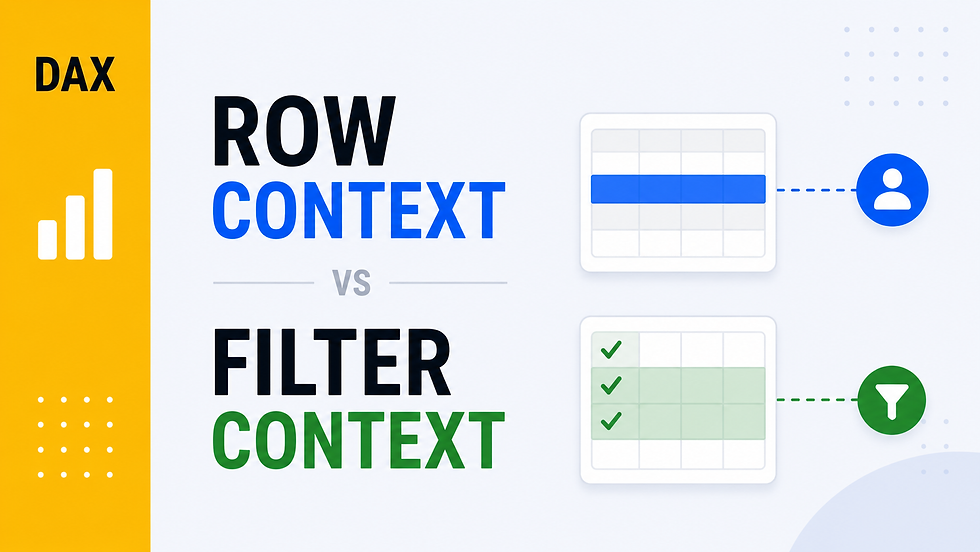
Row Context asks: “Which row am I on?”
Filter Context asks: “Which rows are currently visible?”
That’s it. Honestly, an enormous portion of DAX becomes easier once this difference clicks.
Why Measures Often Confuse Beginners
One of the first frustrating experiences in DAX usually happens when someone tries to write a measure like this:
Wrong Measure =
	Sales[Quantity] * Sales[Price]
At first glance, the formula looks perfectly valid. But Power BI throws an error. Why? Because measures do not automatically have Row Context. A measure is evaluated inside Filter Context, not Row Context. So DAX sees an entire column of Quantity values and an entire column of Price values, but it has no idea which specific row should be used.
In other words, DAX is basically asking:
“Which Quantity?”
“Which Price?”
There is no current row available. This is one of the biggest conceptual differences between calculated columns and measures.
Why SUMX Changes Everything
This is exactly why iterator functions are so important in DAX. Functions like SUMX, AVERAGEX, and FILTER create a temporary Row Context while iterating through a table. For example:
Total Sales =
	SUMX(
     	Sales,
    		Sales[Quantity] * Sales[Price]
)
Now the formula works. Why? Because SUMX evaluates the expression row by row. For every record in the Sales table, DAX temporarily knows:
the current Quantity
the current Price
the current row
Then it sums all the results together. This is one of those moments where DAX suddenly starts feeling much more logical.
CALCULATE and Context Transition
Sooner or later, every Power BI developer reaches the point where CALCULATE enters the picture. And this is usually where DAX starts feeling almost magical. The reason is that CALCULATE can modify Filter Context. But even more importantly, it can perform something called Context Transition. Context Transition happens when DAX converts an existing Row Context into a Filter Context. This is an incredibly important concept because it explains why many formulas behave differently inside calculated columns, iterators, or nested calculations.
For example:
CALCULATE(
    SUM(Sales[Sales Amount])
)
Inside a Row Context, CALCULATE transforms the current row into an actual filter. That means relationships begin propagating correctly across the model. Without understanding Context Transition, many DAX formulas feel like black magic. Once you understand it, they suddenly become much more predictable. Understanding row context vs filter context in DAX is one of the biggest turning points for anyone learning Power BI seriously.
A Real-World Analogy
A simple analogy can help make this more intuitive. Imagine an Excel spreadsheet. Row Context is like reading a single line in the spreadsheet. You are effectively saying:
“I’m currently on row 25.”
Filter Context, on the other hand, is like applying filters to the spreadsheet itself.
Maybe you decide to show only:
Italy
Electronics
2025
Now every calculation only considers visible rows. That’s exactly how Filter Context works in DAX.
Why This Matters So Much in Real Projects
At first, Row Context and Filter Context may seem like purely theoretical concepts. But in reality, they impact almost every serious Power BI project.
They explain:
why measures change dynamically inside visuals
why some formulas work in calculated columns but fail in measures
why CALCULATE is so powerful
why iterators are necessary
why some DAX formulas become slow or inefficient
Most importantly, they completely change how you debug formulas. When a DAX expression behaves unexpectedly, experienced developers rarely start by changing syntax. Instead, they ask themselves:
What is the current Filter Context?
Is there a Row Context available?
Did CALCULATE modify the context?
Am I iterating over a table?
That mental framework is what makes advanced DAX manageable.
Final Thoughts
Row Context and Filter Context are not just advanced DAX topics. They are the foundation of how the entire language works. And the interesting part is that once you truly understand them, many other DAX concepts suddenly become easier:
iterators
CALCULATE
time intelligence
relationships
advanced measures
optimization techniques
Everything starts connecting together. In many ways, learning DAX is less about memorizing functions and more about understanding context. Once that shift happens, Power BI stops feeling confusing and starts feeling incredibly powerful.


Comments